

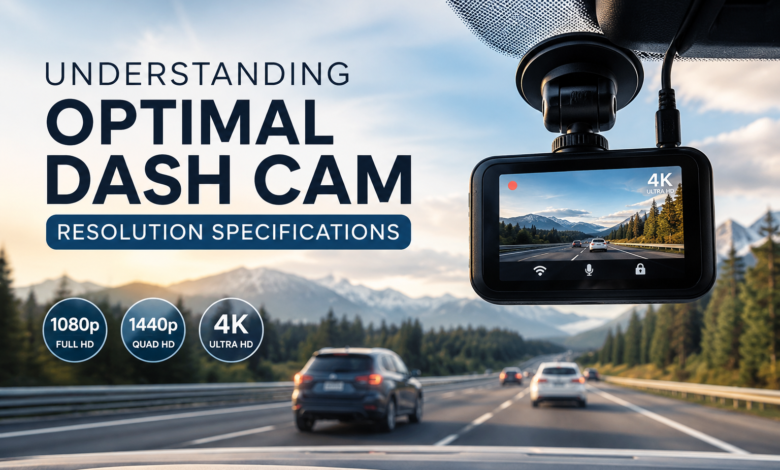
You’re not just shopping for pixels. You’re shopping for peace of mind.
Because when something happens on the road—an abrupt lane change, a sudden brake check, a blurry figure crossing at dusk— you want a recording that speaks clearly when your memory can’t. And this is where resolution specs can feel like a maze of numbers, acronyms, and “4K” promises that don’t always translate to real-world clarity. Let’s turn that maze into a simple, confident path.
Before we dive in, a quick story about the word “repeat.” Many of us have had that moment: you’re telling a friend about a near-miss, and they lean in and say, “Wait… repeat that.” It’s not that they doubt you. It’s that details matter. The same is true for video evidence. If the footage can’t “repeat” the details—license plates, street signs, the light color at the intersection—then resolution isn’t doing its job.
Why Dash Cam Resolution Isn’t Just a Number (dash cam)
Resolution sounds straightforward: more pixels equals better video. But you already know life isn’t that tidy. A higher resolution file can still look disappointing if the sensor is weak, the lens is soft, or compression is too aggressive.
Here’s what resolution actually affects in your daily driving reality:
– License plate readability: The make-or-break factor when you need proof.
– Cropping flexibility: If an incident happens far ahead, higher resolution lets you zoom in with less “blocky” breakup.
– Clarity in complex scenes: Rain, glare, shadows, and headlights at night all stress a camera’s ability to retain detail.
And let’s be honest—when your heart is pounding after a close call, you don’t want to discover later that the video looks like a watercolor painting.
The Sweet Spot: 1080p vs 1440p vs 4K for Dash Camera Use
Let’s break down the most common resolution tiers and what they mean for you.
1080p (Full HD): The dependable baseline
1080p is still widely used because it’s affordable, compatible with almost any playback device, and keeps file sizes manageable. For many drivers, it’s “good enough”—especially if the camera has a strong sensor and decent bitrate.
Best for you if:
– you drive mostly in daylight or well-lit areas
– you want simpler storage and faster file transfers
– you’re on a tighter budget but still want credible footage
1440p (2K/QHD): The practical upgrade
1440p often feels like the true “sweet spot.” It noticeably improves detail without ballooning storage quite as aggressively as 4K.
Best for you if:
– you want clearer plate capture at moderate distances
– you drive in mixed lighting (early morning, dusk, city nights)
– you value balance: quality plus manageable files
4K (2160p): The detail-hunter’s choice
A nice dash camera with 4K resolution can be phenomenal, but only when the rest of the hardware keeps up. A mediocre image sensor recording in 4K can still produce noisy, blurry nighttime footage, and the higher resolution will also consume storage much more quickly.
Best for you if:
– you want maximum detail for reading plates farther away
– you’re willing to invest in larger, high-end memory cards
– you’re okay managing bigger files and more frequent overwriting
One more thing: a higher resolution can’t magically overcome motion blur if the camera uses slow shutter speeds at night. That’s why specs must be read like a whole story, not a single word.
The Hidden Specs That Make Resolution Actually Matter
Resolution is the headline—these are the chapters that decide whether the story holds up.
Bitrate: the “how much detail gets saved” factor
Two cameras can both claim 4K, yet one looks crisp while the other looks mushy. Often, bitrate is the difference.
– Higher bitrate = more detail preserved, less blockiness
– Too low = smeared motion, artifacting around cars and signs
If you see a camera boasting high resolution but staying vague about bitrate, that’s a yellow flag.
Sensor size and quality
This is where real-world performance lives. A strong sensor handles low light with less noise and captures more usable detail. When you drive at night, sensor quality can matter more than a resolution bump.
Lens and field of view
A super-wide lens can capture more lanes—but it can also make distant plates smaller. Wider isn’t always better. You want a field of view that fits your driving environment: city traffic, highways, or parking lots.
HDR/WDR (dynamic range)
These features help when you’re dealing with harsh contrasts: bright sky + dark road, oncoming headlights, or a sunset that turns everything into silhouettes.
And now for a short, oddly relatable anecdote about a “button.” Many of us have experienced that tiny moment of panic— you’re in a hurry, you press a button, nothing happens… you press again… still nothing… and suddenly you realize you were pressing the wrong one the whole time. That’s what shopping specs can feel like. you think “4K” is the button that fixes everything, but the real “button” might be bitrate, HDR, or sensor quality.
Front, Rear, and Interior Cameras: Resolution Priorities for Each
If you’re choosing a multi-channel setup, your best resolution strategy depends on what each camera is meant to prove.
Front camera (highest priority)
This is where most critical incidents are captured—traffic signals, lane changes, vehicles ahead. If you can afford it, aim for 1440p or 4K on the front.
Rear camera (strongly recommended)
Rear-end collisions happen fast. A rear camera helps you show the approach, distance, and timing. 1080p is often sufficient, though 1440p is a nice upgrade.
Interior camera (situational)
For rideshare drivers or families, interior footage can be important. Here, low-light performance often matters more than resolution, because interiors can be dim. 1080p with good IR or low-light capability usually beats a noisy higher-res interior feed.
A well-chosen dash cam setup considers purpose first, not just the biggest number on the box.
Storage Reality Check: How Resolution Impacts Your Day-to-Day
Here’s the practical part nobody wants to think about until the card fills up.
Higher resolution means:
– Larger files
– Faster overwrite cycles
– Greater need for high-endurance microSD cards
If you go 4K, it’s smart to plan for:
– Bigger capacity cards
– High endurance ratings
– Regular formatting and card health checks
You deserve a system that quietly works in the background, not a finicky device that fails the moment you need it.
And for the third anecdote—“gracile.” It’s a word that means slender, graceful, delicate. Maybe you once heard it in a book and loved how it sounded, like something that moves lightly without effort. That’s what the ideal setup feels like: a gracile kind of confidence. The camera isn’t bulky in your mind.