
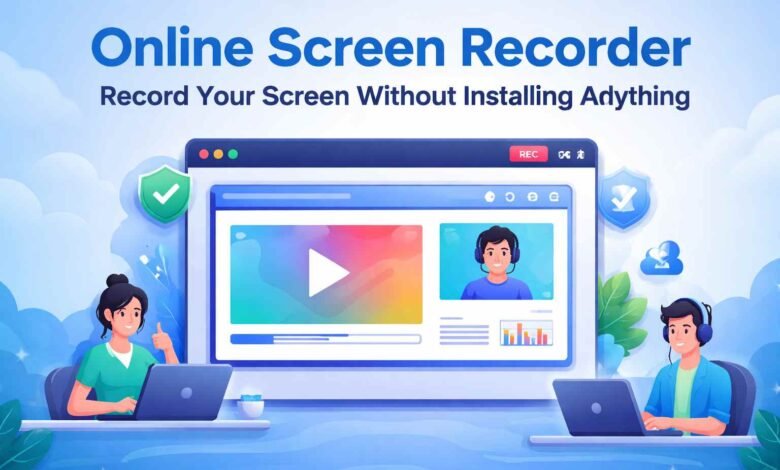
An Online screen recorder is the fastest way to capture your screen without going through the hassle of downloading or installing any software on your device.
Whether you need to record a quick tutorial, save an important meeting, or explain something visually to a colleague all you need is a browser and you are ready to go in seconds.
What Makes It Different From Regular Screen Recording Software?
Desktop screen recording software has its place, but it comes with baggage. You download it, install it, sometimes pay for it, and then spend time learning where everything is. Online screen recorders throw all of that out the window.
There is nothing to install. Nothing to configure. You open the website, allow screen access when the browser asks, and the recording begins. It is genuinely that straightforward, and that difference matters more than people initially expect.
Where Does It Fit Into Real Life?
People do not usually go looking for a screen recorder unless they actually need one right now. That urgency is where online tools have a clear advantage.
A customer support agent needs to record a quick how to for a confused client. A student wants to save an important live session before it disappears.
A developer needs to show a bug without typing a paragraph trying to describe it. In every one of these situations, opening a browser and recording instantly beats downloading software and setting it up from scratch.
Remote teams use online screen recorders constantly. Video explanations replace long message threads. Feedback becomes visual instead of written.
Onboarding new team members gets easier when processes are recorded once and shared with everyone.
Features That Separate Good Tools From Average Ones
Full Screen or Specific Window Recording
Being able to choose exactly what gets captured keeps your recordings focused. The best tools let you pick between full screen, a single application window, or just one browser tab so nothing unnecessary ends up in your video.
Microphone and System Audio Together
Recording both your voice and the sounds coming from your device at the same time is essential for tutorials and presentations. Tools that handle both cleanly save you from re-recording just because the audio did not come through properly.
Webcam Overlay
Showing your face while recording adds personality to your content. It builds trust with viewers and makes tutorials feel more personal rather than robotic.
No Account Required
Some online screen recorders let you record and download without creating an account. For quick one off recordings, this is a huge convenience.
Free Plans What You Actually Get
Most online screen recorders offer a free tier that handles everyday needs without any cost. Basic recording, audio capture, and standard quality output are usually included.
The trade off on free plans is often a watermark on exported videos or a cap on recording length typically somewhere between five and fifteen minutes per session.
For occasional use, free plans are more than enough. If you record regularly or share videos professionally, upgrading removes those limitations and unlocks better quality output.
You Might Also Check: How to Know If Your Computer Is Being Monitored
Mistakes That Quietly Ruin Recordings
Not Clearing Your Screen Beforehand
You hit record, go through the whole thing, and then notice three personal tabs and a private notification sitting in the background the entire time. Thirty seconds of cleanup before recording saves you from starting over completely.
Skipping the Audio Check
It feels unnecessary until you finish a ten minute recording and realize the microphone picked up nothing but fan noise. A short test clip before the real thing takes twenty seconds and catches problems before they waste your time.
Ignoring Lighting When Using Webcam
Most people only think about this after seeing themselves on screen for the first time. A desk lamp pointed at your face makes an enormous difference. Dark shadowy webcam footage looks unprofessional no matter how good everything else in the video is.
Recording Without a Plan
Jumping straight into recording without knowing what you want to show leads to long pauses, unnecessary detours, and a final video that feels messy. Even a rough thirty second mental outline before you start makes the whole recording tighter and more watchable.
Forgetting to Turn Off Notifications
A pop up notification mid recording does not just look unprofessional. It can interrupt your flow completely and sometimes even reveals private information on screen. Turning on Do Not Disturb before hitting record costs nothing and prevents a lot of unnecessary problems.
For more insights, read our article on: iTop Screen Recorder: Record Your Windows Screen Easily
Frequently Asked Questions
Can I use an online screen recorder without downloading anything?
Yes, everything runs inside your browser no download or installation needed.
Does it work on both Mac and Windows?
Yes, since it runs through the browser, it works on all operating systems equally well.
Can I record audio along with my screen?
Yes, most tools support microphone audio, system sound, or both simultaneously.
Is the free version good enough for everyday use?
For most people, yes free plans cover basic recording needs without any cost.