

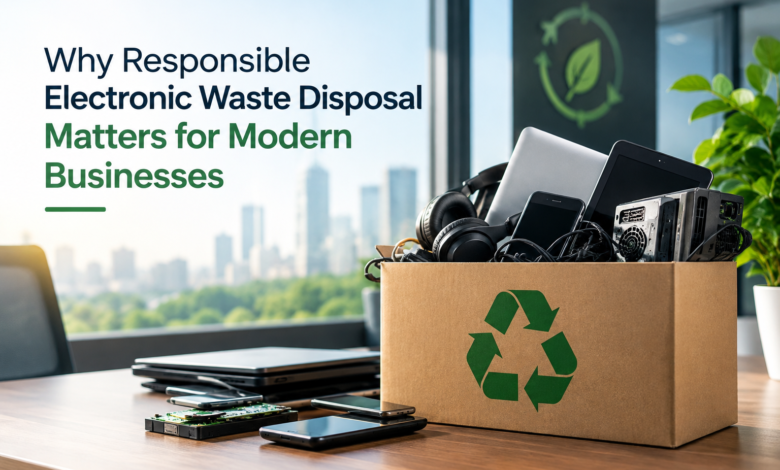
Technology plays an essential role in modern business operations, but the growing use of computers, servers, mobile devices, and other electronic equipment also creates a growing waste-management challenge. As organisations upgrade their systems, they must handle outdated or unwanted devices carefully to avoid unnecessary environmental damage and potential information security risks. Responsible electronic waste disposal helps businesses manage these challenges while supporting more sustainable operational practices. Working with electronic waste management specialists such as Zero Tech Waste can form part of a structured approach to managing unwanted technology and reducing the environmental impact of equipment replacement.
Understanding Electronic Waste in Business Environments
Electronic waste, commonly called e-waste, includes electrical and electronic equipment that has reached the end of its useful life or is no longer needed. In commercial environments, this may include desktop computers, laptops, servers, printers, networking equipment, monitors and telecommunications devices.
Businesses generate electronic waste for several reasons. Equipment may become obsolete, software requirements may change, or organisations may replace devices to improve efficiency and performance. Office relocations, business closures and infrastructure upgrades can also produce significant quantities of unwanted technology.
Unlike ordinary office waste, electronic equipment often contains a mixture of metals, plastics, electronic components and potentially hazardous substances. These materials require appropriate handling to support safe disposal and effective resource recovery.
Why Improper Electronic Waste Disposal Is a Concern
Disposing of electronic equipment through unsuitable waste channels can create environmental and operational problems. Some devices contain materials that may pose risks if they are damaged, processed incorrectly or released into the environment.
Improper disposal can also cause valuable resources to be lost. Electronic products may contain recoverable metals and other materials that can be used to manufacture new products.
For businesses, the consequences can extend beyond environmental concerns. Poorly managed disposal processes may create uncertainty about where equipment has gone, how it has been treated and whether information stored on devices remains accessible.
Reducing Environmental Impact Through Recycling
Electronic waste recycling involves collecting and processing unwanted equipment to recover suitable materials.
Depending on the equipment’s type and condition, components may be separated for further processing, while reusable devices may be prepared for another period of service.
Recovering materials can reduce the need for some virgin resources and help limit the volume of electronic waste requiring final disposal. However, recycling processes also use energy and resources, making waste prevention and responsible reuse important considerations.
Businesses can improve their environmental approach by considering whether equipment can be repaired, reused or refurbished before deciding that recycling is necessary.
Protecting Sensitive Business Information
Electronic devices frequently store confidential information, including customer records, employee details, commercial documents and internal communications.
Deleting files through ordinary software functions does not necessarily remove all recoverable data. As a result, businesses should consider information security before transferring equipment to another organisation or sending it for recycling.
Select appropriate data sanitisation or physical destruction methods based on the device, the sensitivity of the information, and relevant security requirements.
Maintaining records of how data-bearing equipment has been handled can also support internal accountability.
Supporting Regulatory Responsibilities
Electronic waste management is subject to different legal requirements depending on the country and region in which a business operates.
In the United Kingdom, the Waste Electrical and Electronic Equipment Regulations form part of the framework for managing relevant electrical and electronic waste. Businesses may also have waste duty-of-care obligations and data protection responsibilities.
The precise requirements depend on the equipment, waste classification and disposal arrangements.
Organisations should establish appropriate procedures and confirm that contractors handling their waste have the relevant authorisations for the activities they undertake.
Improving Resource Efficiency
Many electronic products contain materials that require considerable energy and resources to extract and manufacture.
Extending equipment life can help businesses use these resources better. Repairing devices, replacing individual components, and redeploying functioning equipment within an organisation can reduce unnecessary purchases.
When reuse is no longer practical, recycling can recover materials for further use.
This approach supports more efficient resource management and encourages organisations to consider the full lifecycle of their technology assets.
Managing Large-Scale Technology Upgrades
Businesses replacing large numbers of devices may face logistical challenges involving collection, storage, inventory management and disposal.
Without a clear plan, outdated equipment can accumulate in offices, warehouses or storage rooms. This may create security concerns and make it difficult to track individual assets.
A structured disposal programme helps organisations identify equipment, assess its condition and determine the most suitable treatment route.
Planning disposal alongside technology upgrades can reduce disruption and prevent unwanted devices from becoming a long-term storage problem.
Strengthening Corporate Sustainability Practices
Many organisations are reviewing the environmental impact of their operations, including energy consumption, purchasing decisions and waste generation.
Responsible electronic waste management can support these efforts by encouraging reuse, recycling and better resource efficiency.
Businesses may also use relevant waste management information to assess progress against internal sustainability objectives.
Environmental claims should be based on reliable evidence, including accurate records of equipment handling and, where available, material recovery.
Encouraging Employee Awareness
Employees influence how electronic waste is generated and managed. Without clear guidance, employees may store unwanted devices indefinitely or dispose of them through unsuitable channels.
Businesses can improve awareness by establishing straightforward procedures for returning obsolete equipment and reporting damaged devices.
Training should explain why electronic waste requires special handling and how employees can help manage technology responsibly.
Frequently Asked Questions (FAQs) About Responsible Electronic Waste Disposal
What is electronic waste?
Electronic waste includes unwanted or discarded electrical and electronic equipment, such as computers, laptops, printers, servers and mobile devices. It may contain recoverable materials and components requiring specialist handling.
Why should businesses recycle electronic equipment?
Recycling helps recover suitable materials and reduces the amount of electronic waste requiring final disposal. It can support responsible resource management when equipment cannot reasonably be reused or repaired.
Can old computers contain confidential business data?
Yes. Computers and other electronic devices may retain sensitive information even after files have been deleted. Appropriate data sanitisation or destruction should be considered before disposal or reuse.
Is electronic waste disposal regulated in the UK?
Yes. Relevant UK requirements include waste management legislation and the Waste Electrical and Electronic Equipment Regulations. Specific responsibilities depend on the equipment and disposal arrangements.
How can businesses reduce electronic waste?
Businesses can maintain equipment, repair suitable devices, redeploy functioning assets and consider refurbishment before recycling. Responsible purchasing and lifecycle planning can also reduce unnecessary waste.