
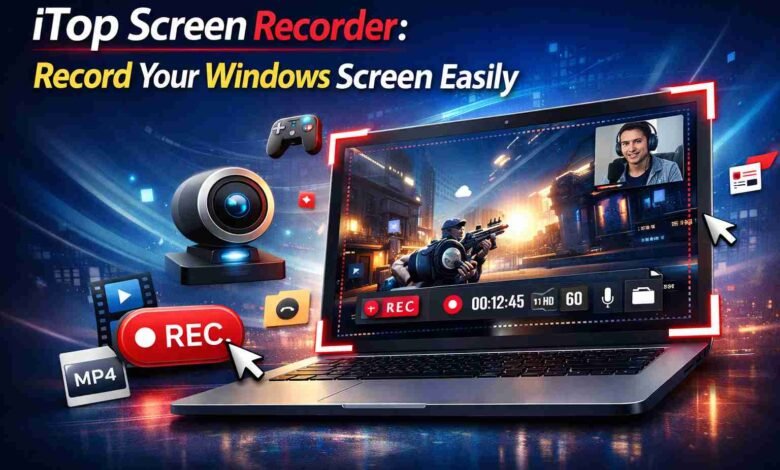
iTop Screen Recorder is not just another recording tool sitting in a long list of options, it is the kind of software that actually changes how you work once you start using it regularly.
Most free screen recorders either compromise on quality or drag your system performance down. iTop does neither, and that alone puts it in a different category.
The Problem With Most Free Screen Recorders
Anyone who has tried multiple free screen recorder knows the frustration. You download one, and the video quality is disappointing.
You try another, and it maxes out your CPU the moment recording starts. A third one has decent quality but stamps a watermark so large it covers half the screen.
iTop was built around solving exactly these problems. The people behind it clearly understood what users were actually complaining about and designed the tool to address those specific pain points rather than just adding features for the sake of it.
What Does the iTop Screen Recorder Actually Do?
At its core, iTop captures everything happening on your Windows screen and saves it as a video. But the execution is where it separates itself from competitors.
Recording starts instantly without any loading delays. The interface is simple enough that first-time users figure it out within minutes.
Output quality stays consistent whether you are recording a slow-paced tutorial or a fast-moving gameplay session.
And the whole time, your computer keeps running normally because iTop uses GPU acceleration instead of leaning entirely on your processor.
That last point matters more than people realize until they have experienced a recording tool that does not use it.
You Might Also Check: How to Know If Your Computer Is Being Monitored
Features That Actually Stand Out
Lag-Free Gameplay Recording
Most free recorders struggle with gameplay. The moment recording starts, frame rates drop and the experience suffers.
iTop handles this differently by offloading the recording workload to the GPU, keeping gameplay smooth while capturing every frame cleanly.
Gamers who have tried other free tools and given up often find iTop works where everything else fails.
Up to 4K Resolution
High resolution recording means your videos stay sharp regardless of where they get played or how they get edited afterward. For content creators and educators who care about output quality, this matters significantly.
Webcam and Screen Together
The picture-in-picture webcam overlay is adjustable; you move it wherever it fits best and resize it to suit your content.
For anyone creating tutorial or educational videos, this single feature transforms how personal and engaging the final result feels compared to a plain screen recording.
Audio That Works Properly
Microphone input and system audio are recorded simultaneously without routing issues or volume imbalances. This sounds like a basic requirement, but a surprising number of free tools get it wrong. iTop gets it right.
Recording Mode Flexibility
Full screen recording, a specific application window, or a custom selected area you choose based on what the recording actually needs. This keeps videos focused and avoids capturing irrelevant parts of your screen.
Built-In Editing After Recording
Once the recording ends, you do not have to open a separate editor to clean things up. Trimming the beginning, cutting out a section in the middle, removing dead time at the end all of it happens inside iTop before you export. For people producing content regularly, this saves genuine time every single day.
Free vs Premium The Real Difference
The free version of iTop is useful enough that a lot of people never upgrade. All the core features work recording, audio, webcam overlay, multiple recording modes, basic editing. It is a complete tool, not a demo.
The one thing the free version does that paid does not is add a watermark to exported videos. For personal recordings, practice sessions, or internal use, that is completely manageable. For anything going to clients, audiences, or professional settings, it becomes a real issue.
Premium removes the watermark, raises the ceiling on recording length, unlocks advanced export settings, and expands the editing capabilities. The decision to upgrade usually comes naturally once recordings start going somewhere important.
Small Things That Improve Every Recording
Close everything on your screen that does not belong in the video before hitting record. Notifications, unrelated tabs, personal windows all find their way into recordings when you least expect it.
Test audio for thirty seconds before recording anything important. Microphone problems are invisible until playback, and discovering them after a long recording is genuinely painful.
Use the trim feature every single time before sharing. Even two minutes of unnecessary footage at the start makes a recording feel unfinished. Cleaning it up takes less than a minute inside the iTop.
For more insights, read our article on: Online Screen Recorder: Record Your Screen Without Installing Anything
FAQs
Is the iTop Screen Recorder actually free?
Yes, a fully functional free version exists, the only limitation is a watermark on exported videos.
Does iTop run on Mac?
No, iTop Screen Recorder is built for Windows only at this time.
Why does iTop not slow down my computer during recording?
It uses GPU acceleration, which keeps the load off your CPU and maintains system performance.
Can I record games without frame drops?
Yes, lag-free gameplay recording is one of the things iTop handles particularly well.
Is the microphone and system audio recorded at the same time?
Yes, both are captured together cleanly without any extra setup required.
Can I edit my video without leaving iTop?
Yes, the built-in editor handles trimming and cutting inside the same application.
How do I get rid of the watermark?
Upgrading to the premium version removes the watermark from all exported recordings.
Where is the safest place to download iTop?
Always download from the official iTop website to ensure you get the legitimate version.