
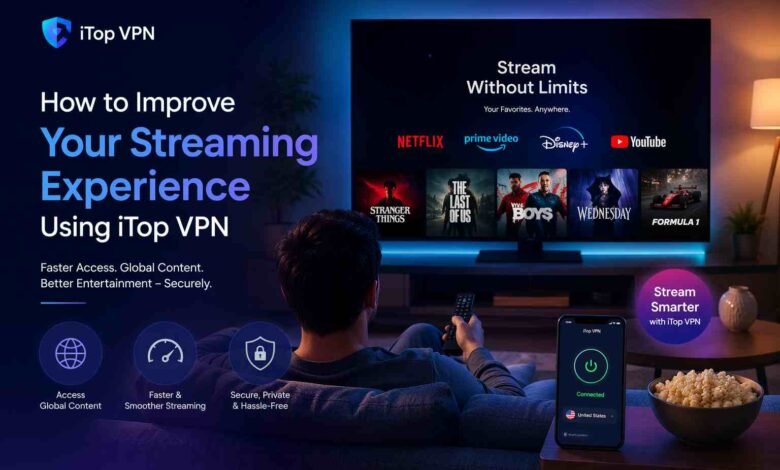
Buffering screens, geo-blocked content, and throttled speeds are the everyday frustrations that get in the way of a good streaming session.
Whether you’re trying to access Netflix libraries from another region, watch BBC iPlayer outside the UK, or simply stop your ISP from slowing your connection during peak hours, a reliable VPN makes all the difference.
iTop VPN is built specifically to address these pain points for Windows users, combining fast server infrastructure with a clean, straightforward interface. Here’s how it works and why it’s worth considering.
What iTop VPN Brings to the Table
Before getting into the setup, it helps to understand what sets iTop VPN for PC apart from the crowded VPN market.
Server Coverage
- Over 3,200 high-quality servers across 100+ locations worldwide
- Unlimited bandwidth and traffic with a strict no-log policy
- Servers optimized specifically for streaming, gaming, torrenting, and social media
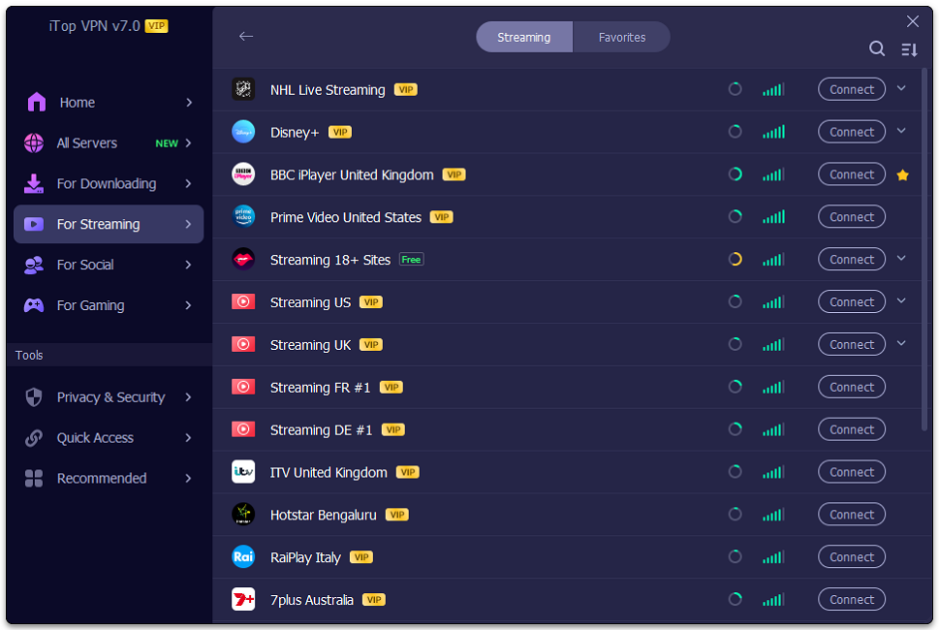
Streaming Platform Support iTop VPN gives you access to content on Netflix, Disney+, Hulu, BBC iPlayer, TikTok, and more, platforms that are either geo-restricted or heavily throttled depending on your region.
Security Architecture
- Military-grade encryption on all traffic
- Double VPN: connect through two servers simultaneously for an extra layer of protection, making it impossible for your ISP to trace your destination server
- Kill Switch that stops specified apps from accessing the internet if the VPN drops unexpectedly.
Device Flexibility One premium account now supports up to 8 simultaneous devices, including Windows PCs, Android, iOS, and even ARM-based devices like Microsoft Surface and Samsung Galaxy.
Getting Started: 3 Steps to Better Streaming
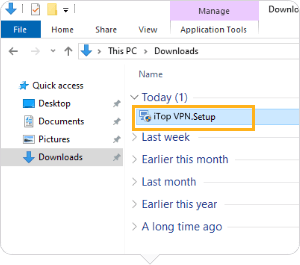
Step 1: Download iTop VPN for Windows
Head to the official iTop VPN website and download the installer. The latest version supports:
- Windows x64 (standard 64-bit systems)
- Windows x86 (32-bit systems)
- Windows ARM64 (devices like Microsoft Surface Pro and Samsung Galaxy Book)
The updated version includes enhanced download speeds and an optimized connection engine that automatically selects the best available server for your location and use case.

Step 2: Install and Launch the Application
Installation is straightforward; run the downloaded file and follow the on-screen prompts. Once launched, you’ll find a redesigned UI that’s noticeably more intuitive than earlier versions. The server list has been restructured for easier navigation, and the Connect Assistant helps you quickly identify the right server based on your specific activity, streaming, gaming, or general browsing.
A Mini desktop icon also lets you access your favorite servers without opening the full app every time.
Step 3: Connect to a Server and Start Streaming
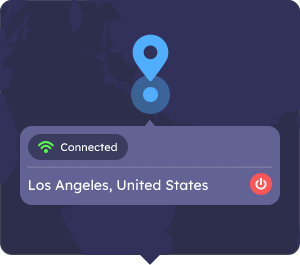
With a single click, iTop VPN connects you to the optimal server for your needs. For streaming specifically:
- Select a server in the country whose content library you want to access
- Use the Connect Assistant to filter servers by purpose (streaming, speed, location)
- Hit connect, the app handles encryption and routing automatically
That’s it: no technical configuration, no login loops slowing you down.
Features That Directly Improve Streaming Quality
- Intelligent Server Selection The updated connection logic scans available servers and routes your traffic through the fastest, most stable option. This reduces lag and prevents the mid-episode buffering that comes from connecting to an overloaded server.
- Split Tunneling: You don’t have to run all your traffic through the VPN. iTop’s Split Tunneling lets you route only specific apps, say, your streaming service, through the VPN while keeping everything else on your regular connection. The latest update links all related apps automatically once you configure the setting once.
- Double VPN for Sensitive Viewing. If privacy during streaming matters to you, particularly when accessing content on public networks, Double VPN encrypts your traffic twice. Your ISP sees only the first server; the destination remains completely hidden.
- Game Booster (For Gamers Who Also Stream) The newly added Game Booster function under Gaming Servers optimizes your connection for low-latency gaming sessions. If you stream games or use platforms like Roblox, PUBG, or Call of Duty Mobile, this feature reduces lag without requiring any manual network adjustments.
Privacy and Security Beyond Streaming
iTop VPN isn’t just a streaming tool; it includes a full suite of privacy features that run quietly in the background:
- Dark Web Monitor alerts you if your personal data appears in known data breaches, with the option to auto-monitor for ongoing leaks.
- The Password Generator creates strong, randomized passwords with a single click.
- Browser Privacy Scanner identifies and cleans tracking data to prevent identity profiling.
- Security Reinforce scans your Windows PC for system vulnerabilities that could expose you to hacking attempts.
- IP Configuration lets you set your IP as Best Server, Dynamic, or Static, depending on your preferences.
- HTTP Proxy Service extends VPN protection to all devices on your home network (Windows, Mac, iOS, Android, Xbox, PlayStation, Nintendo Switch) through a single connection
Dedicated IP Option For users who need a consistent IP address, useful for accessing banking services or work platforms while abroad, iTop offers Dedicated IP servers in the US, UK, Canada, and Germany. You get the privacy of a VPN with the consistency of a fixed address.
Who Should Use iTop VPN for Streaming
If you’re a Windows user dealing with any of the following, iTop VPN is a practical solution:
- Geo-blocked streaming libraries (Netflix US, BBC iPlayer, Hulu)
- ISP throttling during high-traffic hours
- Public Wi-Fi security concerns while traveling
- Multi-device households where one account needs to cover several screens
- ARM-device users who previously couldn’t find compatible VPN software
The combination of 3,200+ servers, intelligent connection logic, and a no-log policy makes it a dependable tool for uninterrupted streaming without compromising on privacy.
Final Word
Most VPNs promise fast speeds and broad access. What makes iTop VPN a solid choice for Windows users specifically is how well it delivers on those promises: a functional streaming setup, minimal configuration, smart server selection, and security features that work without demanding your attention.
Download it, connect in three steps, and put the buffering screen behind you.
For more insights, read our article on: How to Know If Your Computer Is Being Monitored