
Every buyer gets stuck on this question at some point while making a decision to buy hard drives. It might sound like old news, but the question still trips up every single day.
With the shift in pricing and the evolving technology, it becomes hard to just buy an SSD or HDD. Now, you have to make sure that what you are buying is right.
So, before you spend even a single dollar, let’s cut through the market noise and look at what actually matters. The real-world speed, long-term value, and which drive fits your workflow: understanding these is important. And this is why this guide is your ultimate help.
The Main Difference Between HDD and SSD
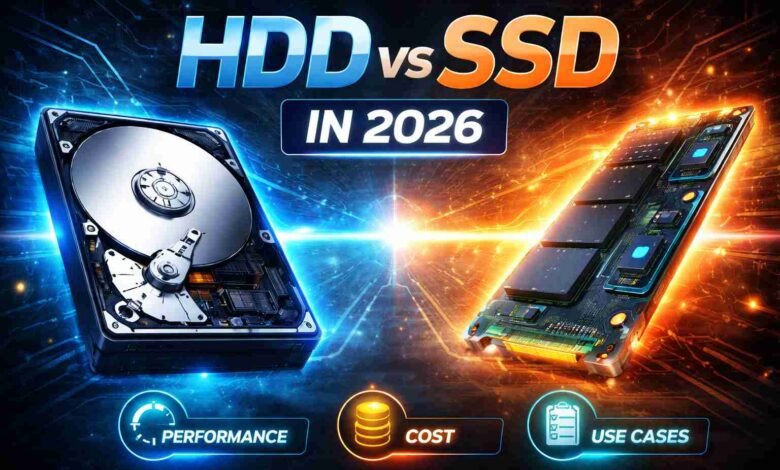
The most noticeable difference between these two drives is their moving parts. A hard disk drive spins magnetic platters at around 5,400 to 7,200 RPM, while a read/write head physically seeks data across the surface.
Meanwhile, the SSD stores data on NAND flash chips and has no spinning, no seeking, nad mechanical latency whatsoever.
This physical design gap explains the performance difference as well. The HDDS suffer from rotational latency, which makes your system wait for the correct sector to rotate under the read head. While SSDs access any data block instantly because there is no mechanical arm to move.
SSDs are far more shock and vibration-resistant than HDDs. Drop a running hard drive, and you risk catastrophic head crashes. But what happens when you drop an SSD? The data stays perfectly intact. They are perfect for laptops, portable workstations, and anyone who works on the go. The durability advantage alone changes the conversation.
Speed: The Numbers That Actually Matter
Every HDD vs SSD speed test tells a very different story from the others. But the gap has widened considerably in 2026.
Sequential Read
- HDD (7200 RPM): 200 MB/s
- SATA SSD: 550 MB/s
- NVMe SSD (Gen 5): Up to 14,000 MB/s
Random 4K Read
- HDD (7200 RPM): 0.5MB/s
- SATA SSD: 40MB/s
- NVMe SSD (Gen 5): 400 MB/s
Access Latency
- HDD (7200 RPM): 5-10 ms
- SATA SSD: 0.1 ms
- NVMe SSD (Gen 5): <0.05 ms
OS Boot Time
- HDD (7200 RPM): 45 seconds
- SATA SSD: 12 seconds
- NVMe SSD (Gen 5): 6 seconds
Large File Xfer
- HDD (7200 RPM): Adequate
- SATA SSD: Good
- NVMe SSD (Gen 5): Excellent
For everyday computing, the SSD advantage is not about benchmarks. It is about the twenty small moments per hour where waiting used to cost you time.
SSD vs HDD Cost Comparison: Where Things Stand in 2026
1. Price Per GB Comparison
Storage pricing in 2026 shows a clear gap between affordability and performance. HDDs remain the cheapest, while SATA and NVMe SSDs cost more due to speed advantages.
- HDD: $15-$25 per TB
- SATA SSD: $50-$70 per TB
- NVMe SSD: $60-$100 per TB
- SSDs cost 3×-5× more per GB
2. Real Market Prices by Capacity (2026)
HDDs scale better for bulk storage, while SSD pricing rises quickly, especially for high-capacity NVMe drives designed for performance-heavy tasks.
- 1TB: HDD ($30-$50), NVMe ($85-$100)
- 2TB: HDD ($55-$70), NVMe ($140-$180)
- 4TB: HDD ($60-$100), NVMe ($250-$350)
- 8TB: HDD ($110-$160), NVMe ($550-$800)
Top SSD Brands vs HDD Brands: Which Brand Makes the Best Drives?
On the SSD side, these are the dominating high-performance tier.
- Samsung
- WD Black
- Seagate FireCuda
- SK Hynix Platinum
Samsung’s 990 Pro and WD Black SN850X rank at the top of the enthusiast benchmark. And if you are looking for budget-friendly options, then Crucial and Kingston offer excellent value without cutting too many corners on endurance ratings.
On the HDD side, Western Digital and Seagate Technology split the market almost evenly. Seagate’s Seagate IronWolf and WD’s WD Red dominate the NAS segment,. While WD Gold and Seagate Exos are widely used in enterprise environments. Toshiba completes the lineup with competitive desktop drives known for solid reliability and strong value.
Reliability data from Backblaze 2025 reports show that enterprise-grade HDDs and quality SSDs both perform consistently over multi-year periods. Neither technology has a clear overall durability advantage, although SSDs are still better at handling physical shock.
For businesses planning storage upgrades or looking to buy SSDs in bulk, this balance between performance, durability, and cost makes it essential to evaluate both HDD and SSD options based on workload, budget, and long-term scalability.
Choosing the Right Drive As Per Your Real-World Use Case
Now that you have understood the performance and cost, you can easily match each storage according to the specific use case.
Everyday Computing
For general tasks like browsing, office work, and media consumption, SSDs deliver a faster and smoother experience. Systems feel more responsive, and users spend less time waiting.
Gaming
Modern games demand fast loading times and quick asset streaming. SSDs improve gameplay experience significantly, especially in open-world environments.
Content Creation
Video editors, designers, and developers rely on fast read and write speeds. SSDs handle large files and complex workflows without bottlenecks.
Mass Storage
HDDs still dominate in bulk storage scenarios. They store backups, archives, and large media collections at a lower cost.
Business and Servers
The big organization mostly uses the SSDs for active workloads and HDDs for archival storage. This trick helps them balance speed and cost across operations.
SSD vs HDD Which is Better for You?
So, after weighing all the information about SSDs and HDDs, the final verdict is;
SSDs can be used as your primary drive. And HDDs can be used as a high-capacity and cost-sensitive storage layer.
Be a smart buyer and do not treat this as an either/or decision. Simply pair up an NVMe SSD for speed with an ihg-capacity HDD for volume. It will help you build a system that can deliver performance and value all at once.
You should also stop looking for a single winner and start matching the technology to the actual task.
Stay tuned to our Trends section for more updates and insights on similar topics